Category Archives: tablet

Augmented books and the Apple tablet: I can hardly wait to create one on Keynote for the tablet

With the extra spare time due to the summer break here in Australia (things get busy again next week), I have been experiencing a “Perfect Storm” of blogging: Intense interest in things electronic via CES 2010 (now history), the headiness of a major Apple product revolution that even has sceptics agreeing something big this way cometh January 27, and of course thinking and preparing for my Macworld trip in a month’s time.

It will be an intense two weeks away, with several days at Macworld for a Presentation Magic Powertools workshop the second week of February, a folk dance camp in Palm Spring immediately after (where TEDActive is also occurring), then a Presentation Magic seminar for the Psych Department at USC, back to San Francisco for a visit to Apple for a presentation the day after, then a three day conference in San Francisco on Smarter Brains and Improving IQ.

I’ll also be leaving on the first anniversary of catastrophic bushfires in my state where 170 people died, and for which a Royal Commission is being held into how the disaster was managed. I was involved as a Personal Team Leader for the Australian Red Cross working in the days and weeks after with victims and survivors of the fires, as well as trying to match reports of missing people with those who had made the reports, to see if there were people still missing. With last night being the hottest on record (36C) there are fires again today in the State.

If I can pull all these activities together into a theme, it’s one of diversity and continuing learning experiences, where I take what I have learnt in the past, and place myself in a position of “not knowing” yet finding ways of applying my knowledge in new situations with new populations.

I remember working in a Red Cross welfare centre 150km from Melbourne not far from the fires where people would gather to seek safety, food, shelter, and clothing, as well as seek out their neighbours, friends and family who had “gone missing”. In addition to comforting them, my task was to supervise other workers to take down details of the people attending and those being reported missing. We were setting up lists that were then faxed to Red Cross headquarters in Melbourne where 24/7 workers sitting in front of PCs would enter the faxed data sheets into a database, so that if people turned up at my or other rescue centres, they could be crossed off the list of being safe, and added to lists of those who might need follow-up for both material and psychological aid.

As I think about it (I’ve been invited to attend a further training session in preparation for anniversary effects) I’m left wondering how a 3G/Wifi Apple tablet could have helped us out, taking pictures of those who attended, using face matching as we can in iPhoto to match up with pictures of those presumed missing, and directly placing survivor details into the database. I’m fairly sure hours went by when PC operators were swamped with faxes.

If I think now about the training I expect to offer at Macworld, the task will be to offer a theory of presenting based on cognitive and affective neuroscience, basic design principles, commonly seen effects for text and visuals in the movies, on television and on the web as models for driving Apple’s Keynote, and of course, exploring Keynote’s functions and operations in order to achieve the best exposition of my theories of presenting.

I’ll also be referring to various texts which I’ll also be giving away as prizes (I think everyone enrolled will probably get one book!). One will look at iWork 09, and give a section by section breakdown of Keynote’s features, while others will offer considerations of design principles including slide makeovers, as well as examples of good presentation technique. For that, I’ll also use my own and TED videos for the good to excellent and downloaded Powerpoints for the bad to really horrible.

If I think abut the books, they are all good in their respective endeavours of enlightening readers. But by necessity, they are static examples of what is really a dynamic human activity. Moreover, as much as reading about, or seeing screenshots of Keynote’s Inspector or font menu is useful, it can’t really compare with watching someone take you step by step through the process of using Keynote’s facilities, then seeing the interim, then end product.

To my knowledge, there is no book yet on the market that really tells you how to use something like Keynote and think about how to use design principles such as Garr Reynold’s new book contains (Garr is giving me some of his books as prizes of course!) Garr’s book like many others tries to be platform-agnostic and thus broaden readership. Powerpoint keeps improving but as long as its major settings for its use are academia, the military and the enterprise, Garr’s book could be included with the next version (due for release in June)  but improvements in presenting with Powerpoint would still happen very slowly. (Previous criticisms of Garr’s approach with respect to scientific data has been addressed, and I certainly give this aspect close attention in all my workshops).

In fact, given the nature of the subject, can a book accomplish these two tasks? Can a book help you choose an animation, or build or transition for your particular subject matter and let you see the various effects possible. I know of this difficulty given each time Steve Jobs presents at an Apple keynote, I (and others) watch very closely for any new Keynote effects and designs. When I spot them, I can’t show a video on my blog for copyright reasons, but I can show screenshots of the builds or transitions in action. Not a very satisfactory method, but it’s the only way to show the new effects until I get my hands on the update and can use it myself.

So if one of the functions of the tablet will be to deliver reading material, as many have suggested will be the case, why not show how to use Keynote’s feature set while describing why one is creating certain effects. I already do a little of this on this blog, uploading screencasts of my Keynote files to YouTube for display here. It’s clumsy however, requiring a fair amount of effort for a few minutes. Not that I’m against that of course, if you’ve been reading this blog, since I know how much effort is required for great presentations. But we’re talking here of cutting down on multiple clicks, a centrepiece of Apple functioning.

I’d like the tablet to enable me to use a tabletised iWork to help me create a book form of my Presentation Magic workshop, Pages for assembling the text and layout and Keynote for demonstration purposes. Hopefully, the tablet will have some way of recording screen activity, much like the iPhone allows for static screenshots.

Then I can assemble my book, with my text in place, my demoes including how I setup each slide, and what the final output will look and sound like. I can include hotlinks to sites like iStockphoto for photos and movies, and other sites for audio files, as well as newspapers and journals for headlines and abstracts I wish to show.

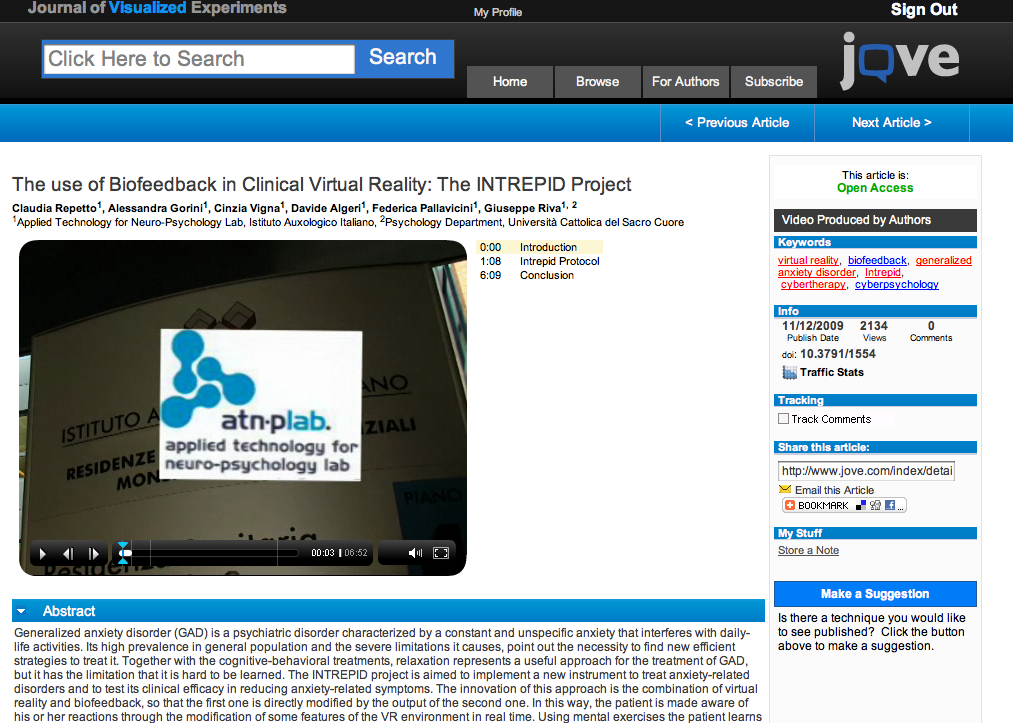
The idea of using videos to demonstrate science journal writing already exists in the Journal of Visualised Experiments which shows viewers how the experimenters performed their tasks, the equipment and questionnaires they used, and the interpretation of the data. Take a look at this publication about using biofeedback in working with anxiety (screenshot below).
I’m going to guess the first of “augmented book” you’ll see, hear and read on the Apple tablet will be Apple’s own tablet manual, guiding you through a hands-on demonstration of its wares, with videod commentary and feedback about how you’re doing. This will be terribly important if the tablet does in fact include something of a learning curve for a new interface.

It kind of reminds me of the first few days I spent with my first Mac, a Mac Plus in 1990. I used the included floppy discs which taught you mouse functions, like clicking and dragging, as well as how to resize windows and use the drop-down menus. I vividly remember having dreams of mousing around with the Mac and then spending hours the next day practising how to manage this new interface, so different was it from my previous experiences, using mainframes, PDP-11s and Tandy TRS-80s.

I’m going to guess it will be the same twenty years later, such will be the change in input method. I can hardly wait this time however to write my own tabletised book complete with Keynote demoes. No more need to include CD or DVD samplers in the backs of books to demo what your chapters are trying to illustrate with words and static pictures.

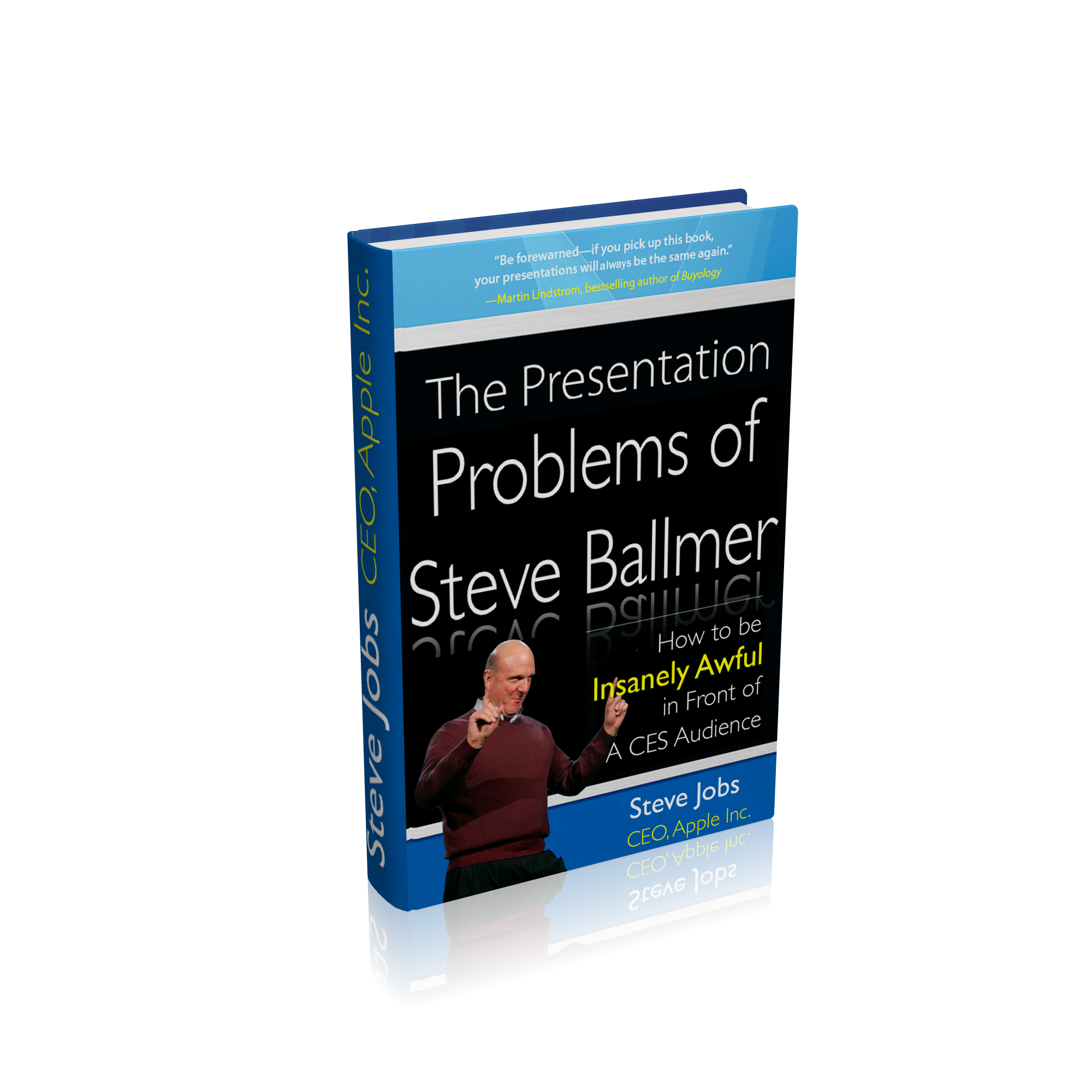
Steve Jobs to Steve Ballmer: So you think you can do a Keynote? About a tablet? Here, read this book I’ve written just for you.

Did you catch the CES keynote delivered by Microsoft CEO, Steve Ballmer during the week?

In the last few years, Microsoft has been the kick-off keynote at CES, with many looking forward to see what it has to offer for the year to come. Bill Gates of course did several of them, and the world’s richest man was always a drawcard. He was not a great speaker, and his slides were not what you could call inspired, as I have described on a blog entry from a few years ago. (At TED recently, he has obviously been coached in terms of slide design and presentation skill).

When Steve Ballmer took the reins as CEO, he too became the first keynoter at CES, showcasing Microsoft’s wares in terms of software and hardware, usually giving time and space to OEM partners like Hewlett-Packard.

This year was no different, and rumours that Ballmer might show a much-rumoured tablet called “Courier” raised temperatures a little, even if they didn’t reach the fever-pitch Apple’s alleged tablet created.

When Apple makes it known that it will be holding a “special event”, speculation begins and builds huge expectations. There are many reasons to wait in anticipation of an Apple keynote:

1. Will Steve Jobs be the primary speaker (and how will his health appear)?

2. What new products will be shown?

3. Will these products be updates to existing ones, or will Apple introduce a new genre, taking something familiar and turning it on its head? And when will they become available?

4. Will Steve Jobs perform his keynote using an updated version of Apple’s presentation software, Keynote?

5. Will it be confirmed, yet again, that he is one of the world’s great presenters and speakers, worthy of emulation?

Steve Jobs regularly makes lists of admired presenters, with many attempting to emulate his style, often not successfully. Probably the worst attempt to “channel” Jobs was Facebook’s Mark Zuckerberg’s 2007 F8 performance.

His performance was contrived and stilted, leaving those who had been comparing him to Steve Jobs at the same age a little embarrassed. He’s a smart cookie, but somewhat shy which shows in his presentations and interviews. Search YouTube for his many interviews.

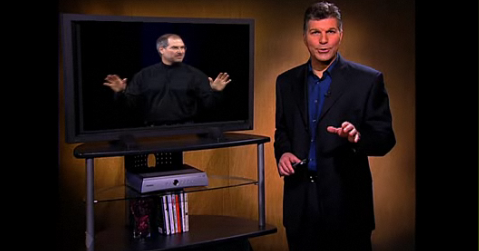
One person who has taken more than a passing glance at Jobs’ presentation style as one to emulate is California-based Carmine Gallo, who maintains a BusinessWeek blog here.

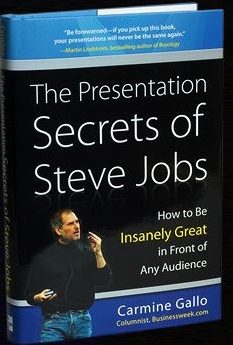
Last year, he wrote a very popular column which then became a best selling book deconstructing Jobs’ presentation skills.

First, you can see him present his ideas here:

Click here to see the video in action

Here’s the book cover for Carmine’s publication, which he has kindly allowed me to offer as a prize during my Presentation Magic workshop at Macworld next month.

While many including myself have discussed Jobs’ presentations, Carmine’s is the first in book form, and which allows him to personalise, through Jobs, his own long-considered thoughts on how CEOs in particular ought to present ideas, concepts, services and products.

It’s hard to put a value on how much these presentations add to the acceptance at first blush of Apple’s product announcements, but it should be added that not all Apple Keynotes showing new products see Apple’s share price rise.

Quite often they fall, due to the extraordinary hype and expectations leading up to the keynote, and the disappointment sometimes experienced by financial commentators.

This past week, this fall occurred to both Microsoft and Hewlett-Packard after Steve Ballmer took the CES stage and showed an H-P tablet powered by Windows 7.

In the months prior to CES, the rumour mill had struck up a conversation about the “Courier” tablet. Take a look at this supposed leak reported by Gizmodo here.

Long time observers of Microsoft have become very aware of its capacity to hype “vapourware”, but there had been high hopes that Steve Ballmer would discuss Courier, what with an Apple tablet seemingly on its way. When a regular H-P tablet running Windows 7 was displayed, the disappointment was palpable, and widely reported in mainstream media and unforgiving blogs.

But there is more to it than the product. There is something about how Ballmer presented at CES that draws a comparison to Jobs, for those interested in presentation skills.

You can watch the official Microsoft stream of CES 2010 here, but for now watch this audience-generated YouTube version below (be aware of cuts between views of the stage and projector-based close-ups):

There are also numerous CES 2009 Microsoft keynotes with Ballmer you can view on YouTube so that you don’t think 2010 is the exception, because it’s not.

But if we keep ourselves to the keynote just past, there are a number of contrasts with Steve Jobs to offer, some of which might help readers with their own presentations.

1. Despite his avuncular appearance, Ballmer is more Phil Schiller than Steve Jobs. Which means his overt cudliness doesn’t translate into emotional warmth. As with Schiller, (I have attended a Schiller and a Jobs Macworld Expo keynote, but not a Ballmer one) I feel like he’s talking, even shouting, at me. Despite what has been written about his interpersonal style one-on-one, Jobs’ on stage persona exudes warmth, approachability, and yes, friendliness. You feel he’s holding a conversation with you, even when he’s in front of a 5,000-strong audience.

2. On stage, Ballmer reminds us that “once a salesman, always a salesman”. Both Jobs and Ballmer talk up their companies’ financial success in the year just gone, but Jobs chooses to illustrate his review, while Ballmer just tells me. But more conspicuously while both overuse hyperbole  – “it’s perfect vs. we couldn’t be happy” – I never lose sight I’m in the presence of a salesman with Ballmer. That’s fine for some audiences, especially inhouse, but when you’re being broadcast to millions around the world, you need more than being a “Mad Man”, you need to convey a vision for the future, where these products will take me.

Perhaps because the tablets and devices (other than gaming) he was showing were made by others, powered by MS software, there was limited ownership of what the product was going to do for me. With Jobs, whose Apple owns the whole widget, you get the feeling the company has thought through a vision for their technologies and how they will be used. These aren’t Ballmer faults per se, but for a CES keynote you want more than just a few warmed over products (as they have been described) to excite the masses.

3. Ballmer tells no stories, just sales pitches. It’s the proverbial solution in search of a problem. As Gallo points out, when Jobs introduced the iPhone, when many had said Apple should stick to computers and not enter “a mature” technology domain of mobile telephony, Jobs set up the usual suspects (Nokia, Sony, Motorola etc) as antagonists, then brought in the iPhone as a hero who would save us from complicated, incomplete and limited solution devices. He offered a solution to a problem we didn’t know we had, a mantra for Apple if ever I heard one.

4. Probably the least happy part of the CES 2010 keynote (apart from the very lame Seth Myers videos) was how Ballmer demoed the HP tablet. If he didn’t already know that there would be widespread disappointment that the Courier would not be discussed and the H-P would be a poor substitute, he showed an 18 second demo from H-P which told me nothing. See it below:

Yawn-worthy, and the tech mags have paid out heaps on Ballmer for this…

But then he picks it up, holds it in front of his tummy so he has to bend his bald pate down to see what he’s doing upside down, and fumbles the demo. How hard would it be to hold it out in space, let us see its form factor (remember how Jobs demoed the MacBook Air?) and operate it away from his body in its own space? Or move himself to a lounge chair and simulate how an end user might work with it (it’d look warm too), while a camera on stage offered close ups. This was a big mistake, and suggests a combination of lack of rehearsal and feedback from others.

5. There are some awkward moments on stage when Ballmer is joined by a colleague doing another demo. Ballmer hangs about on stage, hands on hips watching close up, or looking around (below). What’s with that?

Then he invites his colleague to walk across the stage for another demo, which invokes the classic comedy routine, “Walk this way“, (below).

Watch how Jobs works with colleagues and guests on stage. He greets them with a handshake, hands them the clicker, and leaves the stage! He doesn’t crowd them, nor have them hanging around looking limp, but either gets out of their way, or interacts with them, as in his comical interactions with Schiller. In other words, he is generous on stage, helping his colleagues look good (even when they may know they can’t compete with his presentation skills). Take a look at this Apple Keynote video compilation where Jobs is working with the CEO of Sony Japan who is almost incomprehensible on stage and see for yourself. (Advance to 1’15”)

6. Finally, within a few minutes of opening his Keynote, Ballmer disempowers himself by giving centre stage to the previously-mentioned Seth Meyers clips (left) which are unfunny and don’t lend itself to a visionary experience to come.

When Jobs shows clips they usually feature his own team and how they came to conceive and build an Apple product or service, professionally delivered and not playing for cheap laughs. They excite us about the product, showing us what exists below the simple, shiny surface demonstrating the amount of thought which has gone into the product.

You can bet we will see this when Apple unveils its tablet. Rather than a few stingy minutes spent in a poorly conceived demo, we will be left with a sense of awe and desire for the tablet. That feeling may pass in the hours and days that will pass, only to be invoked once more when we pick up the object of our desires in our own hands.

Is there a way out for Ballmer, so that we don’t see a re-occurrence of these presentation foibles at future CES conventions?

Yes. I’ve just been sent a book by Steve Jobs himself, inspired by what Carmine Gallo wrote about him. It’s a one of only two so far produced (the other one was sent direct to Redmond). Let’s hope that a PDF of it is created, as well as Powerpoint slides given away free embedded in Office 2010 when it’s released in June.

Please Mr. Jobs: Suck in the publishers with your tablet’s promises of saving their sorry backsides, then grab them where it hurts, don’t let go, and change the way science moves forward

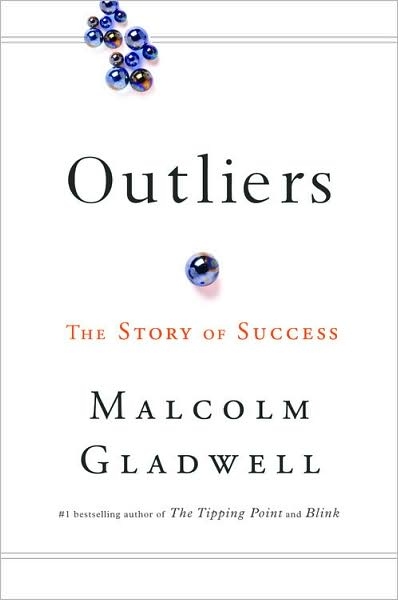
I was born in the same year as Steve Jobs and Bill Gates. Turning 21 in 1976 was a special event according to Malcolm Gladwell in his most recent book, Outliers.

In the same year, 1976, Sun Microsystem founders Scott McNeally and Bill Joy were also 21, turning 22. Microsoft co-founder Paul Allen was already 23. These five men have had a huge collective impact on how we work and spend our leisure time, even if at the time they began their enterprises, they didn’t know what was ahead of them.

Gladwell’s hypothesis is that their youth and backgrounds came together with the technological zeitgeist to allow them to do what they did in their early twenties, while companies led by men and women in their forties and fifties couldn’t grasp what was to come.

I mention this because so many of my professional colleagues still have not grasped the relevance and importance of the technologies these men developed, describing to me how they’ve been dragged kicking and screaming into using technologies for the professional lives. Last year and in 2008, I ran courses for my colleagues on how to make their professional lives a little easier using technology and the level of “Oh my gosh – you can do that!” was palpable.

It felt the same way when I visited Boston in November for the “Learning and the Brain” conference (I’m heading to a follow-up after Macworld next month in San Francisco), and attended a session by a class teacher who now offers workshops for teachers working with children of the digital age, so-called Millenials.

Her breathless “Gee-whiz, look at what Facebook’s doing” was incredibly annoying and I had to bite my tongue on several occasions. But I have to acknowledge that perhaps I am an exception, if I compare myself with others my age. My partner’s children who are in their early twenties think she and I are so cool, because we got them both to take up the Mac platform, to take on iPhones, and we do their tech. support for both. Usually it’s the other way around in families.

My first direct contact with a computer was a mainframe at university in second year when I had to learn to program in Fortran and use punchcards. My first contact with SPSS, a major science statistical package, also used punchcards. I recall doing my Masters in 1980 when visiting the library to perform a literature search meant speaking the with librarian, spending time finding the right keywords to search with, then waiting a week for the printout search results to became available.

After, I headed into the journal stacks to start locating the articles and photocopying them. Later, I learnt how to use Current Contents and Psychology Abstracts to better guide my quest, but it was all so slow and tedious.

After joining Compuserve around 1990 and getting my own email address (1000033.271@compuserve.com or something similar) I used its very expensive service (I had to call overseas @ $2/min in 1990 dollars) to track down articles and publications.

Later, when the intertubes became available (I was firstly lposen@ozonline.com.au) as well as lposen@aol.com (don’t worry, it already gets so much unchecked spam) a whole new world of communicating with peers and researchers opened up. Whereas before I had used snail-mail to write to researchers for paper copies of their original research – the turn-around time would be around three weeks if they responded promptly – I could now email the senior author and often overnight a response would come together with a PDF or link to a website, with the bonus of a email-based dialogue commencing.

Let’s fast-forward to January, 2010. I still email authors, but more and more I am using Google to track down original research publications, often on researchers’ own websites, or free in certain journals. Or I’m using software such as DevonAgent or Papers to both search and archive research papers. (I highly recommend these Mac applications for researchers.)

When one gets used to free, it becomes hard to bring oneself to pay. Even when one knows it’s the “right” thing to do in terms of copyright and rewarding creativity. Millenials especially seem incapable of understanding the idea of paying when they have spent their lives knowing how to obtain their music or videos for free.

Every so often, despite my assiduous efforts to track down free publications, I am refused entry and referred to payment pages for journal articles. I get the abstract for free, then a link to download a PDF or MS Word file takes me to a virtual payment checkout. I’m talking here of peer-reviewed research, the sort of thing I’m meant to read to keep myself current by law. With hundreds of journals publishing relevant research, I cannot afford to subscribe to each one for the occasional relevant article. Nor do any of my alma maters offer a service where as a graduate I can access their electronic libraries as do enrolled students and faculty.

So like many independent practitioners, I have to rely on my wits to get what I want. I join discussion lists where others have access to material they can distribute and of course I continue to email directly.

It’s an OK system, but it can be improved upon. Others have also recognised the almost prohibitive cost encountered with paper-based science publications, and together with concerns about the peer-review process, have begun online, copyleft-type clearing houses of information. One such community is PLoS, the Public Library of Science.


PLoS is

“… a nonprofit organization of scientists and physicians committed to making the world’s scientific and medical literature a freely available public resource. All our activities are guided by our core principles.

Open Access: Everything we publish is freely available online for you to read, download, copy, distribute, and use (with attribution) any way you wish. Watch 1-minute videos from a teacherfunderpatient advocatephysician scientistlibrarian, and a student about why Open Access matters to them.”

You can also send your original research to PLoS and have it peer-reviewed.

Now, you might want to know the views of those in the mainstream journal domain and if they feel their money stream to be challenged by PLoS. So I Googled to find out and one of the first results came from one of the premier science journals, Nature:

Ah, the irony! To read what Nature has to say about a free peer-reviewed journal system, I have to pay for it!

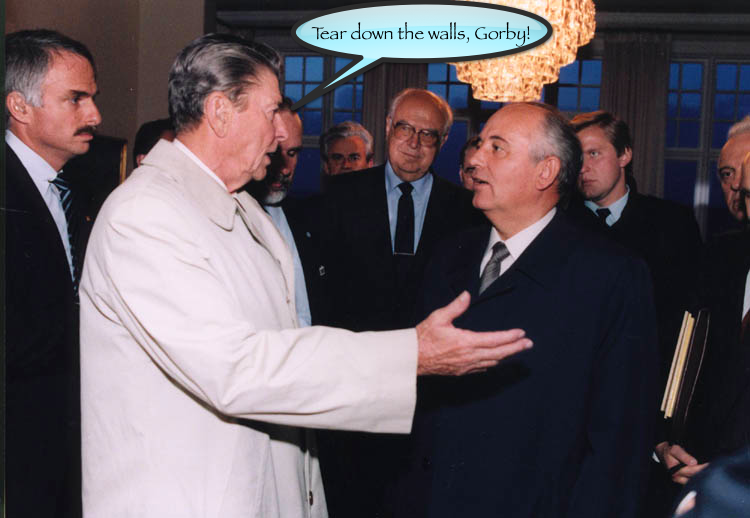
What was it Reagan said to Gorbachev? “Mr. President, tear down these walls!”


Well, I’m saying the same thing to Steve Jobs: “Steve, mate, help science along by luring the publishing world in with a tablet as a lifeline to a dying industry, then grab them by the short and curlies like you did with the music industry!”

You see, if I could get a hold of a journal article for my tablet for 99c, I’d grab it in a heartbeat. But how much do publishers want now for a single article?

Take a look below at a screenshot of an article I wished to buy today, from a lead sent to me by a fellow twitterer:

This is a 9-page article published by the APA, one of the USA’s premier associations for psychologists and a major publisher of peer-reviewed research.

I would spend $11.95 on a book, but not an article unless I was heading to a deadline and my article was incomplete without referencing this publication. And you can bet I’d claim a tax deduction for “Professional Library“.

Occasionally, journals will offer one or two free articles in a special journal devoted to a particular topic, but more often than not I am asked to pay exhorbitant rates to download pdf files.

Now, let’s have a look at another system, this time from the National Academies Press. In 2007, I read a review of a great and recommended book on the so-called Information Overload problem, authored by Alex Wright called: Glut – Mastering Information through the Ages.

This is a book you ought to read if you believe information overload is a problem of modern times, and Wright, with his library studies background, does a great job offering up a history of humankind’s making sense of the world. It’s nothing new, to give you the three word synopsis.

After I had read the review (Google <Alex Wright> to find a video of him speaking at Google) I was satisfied it was a book I wanted on my bookshelf.

A brief search lead me to the NAP site, where to my delight I discovered a number of ways I could access the book.

Firstly, I could order the book delivered to my postal address, and pay online for a discount. Fine. Or, I could for a little extra, order the book AND a PDF of the book too. Which meant several things… I could keep a copy on the bookshelf and on my Macbook Pro for reference and for cutting and pasting text into my Keynote presentations; I could access the illustrations for fair use without having to resort to photocopying and scanning to put it on a slide; I could copy and paste sections within fair use into an email to send to friends to interest them in the book and open discussion.

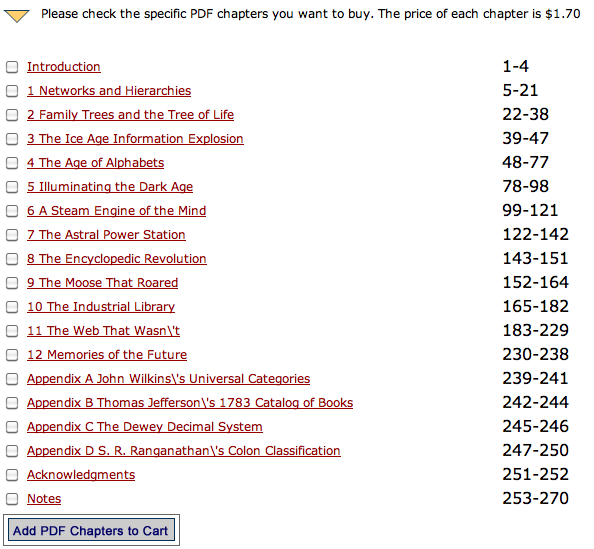
Or, I could preview each chapter, and order one as I went along, eventually owning the whole book in PDF format. So, if after reading the first chapter, or perhaps reading a chapter of interest, I could leave it there. It’s a little like sampling music on iTunes. I can hear some of the tracks, I can buy the album, or I can buy the individual tracks.

Take a look at the NAP website screensite below to see the options:

Here you can see the options offered. Notice, will you, the price per chapter: $1.70

That’s a far cry from $12 for a journal article. Now you might ask how many pages per chapter.

So if you click on the website, you get to see how to download each chapter for the same $1.70 no matter how many pages (sound familiar?)

Take a look below….

Isn’t this the iTunes music model, but already existing for publications?

Buy the whole thing (even in hardcopy) or the whole PDF which will download as soon as you pay (its 63MB will take under a minute on ADSL) or buy both and wait until the hardcopy arrives in the mail. Apply the same to journals. Even now, only a few articles in each journal I receive as part of my professional membership registration interest me. The rest is a waste of paper.

Mr. Jobs, please let me do this now with publications. I’ll still try and get what I can for free by writing to authors and opening up a dialogue, just like some musicians give away their music, but let them earn a buck and let me gain easy, ready access to articles I can read on my tablet. Just make it affordable and within a click or two’s reach. The irony is that researchers get nothing when their work is published in peer-reviewed journals. But it’s imperative they publish, not just to advance science, but to satisfy their institution’s employments policies (“publish or perish”), obtain tenure, make a name for themselves to get a book contract, or  publish research sponsored by well-heeled corporates especially the pharmaceutical industry, then do the lecture circuit.

And do a deal with PLoS so they can earn some money for their efforts and offer even easier access to their wares. Using the expected multimedia capabilities of the tablet, let me see the authors discuss their experiments, show me any experimental equipment they perhaps used or questionnaires they employed I too can access via the tablet, and let’s move science forward rather than hold it back via paywalls. You know information wants to be free, right?

(UPDATE January 12, 2010: Searching through various twitter conversations showed up the Journal of Visualised ExperimentsJoVE – which is a visualised journal for the biological sciences. This is the sort of peer-reviewed research which would find an easy home on the tablet).

Despite what I said at the very beginning of this entry about my colleagues’ lack of technological-savvy, an easy to use tablet with a no-brainer yet compelling user interface and inexpensive access to the world’s knowledge storehouse on-the-run (3G or Wifi or both) will sell in the scores of thousands to scientists alone in the first year.

Pair that up with the ability of students to carry all their now-inexpensive textbooks with them, and you’ll have the next “Mastering Information down the Ages” revolution to further cement your place in history.

(Oh, and let it do Keynote presentations too, please?)

UPDATE (January 8, 2010): This post prompted me to go back and look at the PDF of Glut. Looked high and low, on my several back up drives, and couldn’t find it. So I emailed the publisher from whom I’d made the Book+PDF purchase, with the date of purchase and credit card number retrieved from my iBank finance application, and emailed the customer-support section. Within a few hours, I received an email reply from Zina Jones, National Academies Press’ Customer Service/Order Processing Manager who had retrieved my information from NAP files, and offered me another free download, which I duly complied with!

Think about this: How many books have you left behind on planes, at coffee shops, in hotel rooms, or lent to friends, never to be recovered. It’s not so bad if it’s a work of fiction, but what of a $120 textbook? You can’t just ring about Laurence Erlbaum and Associates and plead “I left my book in my hotel room!” and expect them to FedEx you another copy.

But as NAP has demonstrated (and as iTunes very occasionally allows for “lost” music files), you can recover your missing book and very quickly too, if you have kept track of your purchases. (It’s also why I never delete those receipts from the iTunes music store).

UPDATE – January 15, 2010: I located a very scholarly blog entry entitled:

Why Hasn’t Scientific Publishing Been Disrupted Already?

by Michael Clark (January 4, 2010)

Highly recommended reading