Category Archives: Presentation Skills

What if Dragon scaled their free iPhone/Pod Touch Search and Dictate apps for the Apple tablet? Joining the dots…

Over the weekend, I noticed almost a dozen application updates waiting for me in the iTunes App store for my iPhone 3G.

Two of those were from Dragon, firstly its Dragon Search App (below):

and also for its Dictate App. (below):

The two key improvement cited for both were: Support for the iPod Touch, and Enhanced user interface.

Let’s connect some dots. Imagining the the Apple tablet runs a version of the iPod OS (4.0 or a modified version), what’s to say that Dragon’s highly rated and free apps can’t be scaled for use in a tablet form factor. So along with a revolutionary user interface (I am listening to Steve Jobs in my head using the same words he employed at the iPhone release three years ago), might there be an optional voice-controlled dictation and search function from Dragon?

And extend it a little further, and have Dragon’s software also control operating the tablet (“Open Mail; new entry…”) something I can already do with MacSpeech Dictate for my Macbook Pro, along with a bluetooth headset which does double time linked to MacSpeech, and my iPhone currently (but not simultaneously). Macspeech is based on Dragon’s Naturally Speaking engine, well established in the Windows world. I’ve been using it with the Plantronics Bluetooth headset and it’s very accurate out of the box.

The question would be whether a built-in microphone would be up to the job, or if you’d have to don a headset to perform all the functions. But if the iPhone’s built-in microphone can do the job well enough (the Dragon iPhone/iPod software gets very high ratings) then perhaps that problem has already been solved.

Also remember that Apple has a dedicated speech recognition and synthesis research lab which has had input into Macs for a decade as well as the iPhone since its release, and you have a few more dots to connect.

It doesn’t have t be necessarily an either/or case for the tablet. Why not have both forms of input, touch and voice) as you can now for any Mac. Speech recognition will have huge benefits for certain professions, such as the health sciences, for those who cannot use keyboards or complicated finger-based controls, the commercial aviation industry who could bring up all their Jeppeson maps, and of course students from late elementary school through to graduate school (where texts and lectures will already be carried on the tablet).

Keeps getting more interesting, isn’t it…?

Will an Apple tablet with iWork help bring on the end of Windows for the average user?

You know those often quoted statistics that Windows powers 90% of the world’s computers, or that 30,000,000 Powerpoints are given each day?

Do you ever wonder where these numbers come from?

Me too. The latter appears to come from Microsoft itself. Given my own made up statistic that 95% of them disobey most evidence-based rules for conveying engaging memorable messages, I have a lot of work ahead of me to offer up alternatives!

But what of the percentage of computers figures?

It depends on which computers and who’s using them.

It’s perhaps an apocryphal story of the Microsoft spokeswoman addressing a group of professional moviemakers touting certain wares. Allegedly she said in passing, “Of course, Windows operates on 95% of computers”. To which one wag replied, “Not in this room, lady”.

What then should we do with the figures we see quoted the last few Steve Jobs keynotes that 50% of Apple store purchasers of Macs are switchers, presumably from Windows. Not new computer users, nor Apple users updating, but switchers.

What will be the impact of an Apple tablet on potential switchers, I wonder?

If an Apple tablet is a glorified Kindle, the answer is nothing.

But what if Apple has developed a new device, one much more attuned to the needs of a public who is not concerned with operating systems, Tuesday patches, malware, spyware, trojans and viruses? What if the vast number of general public users just want to work with email, surf the net, chat and social network, watch movies and listen to music?

Leave it to the vast bulk of that purported 95% to run Windows on a desktop machine: airlines, banks, enterprise, universities and various research institutes. But what of Mom and Pop, their kids, the self-employed, SMEs?

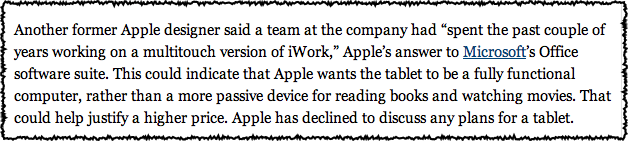
What if the tablet was actually more than a reader but a worker? An iWorker, able to use a form of the iWork productivity suite now available for Macs? I’ve hinted at this in other blog entries, but a recent New York Times report seems to suggest something really is going in with iWork and the tablet:

Source: The New York Times, January 8, 2007 “A Deluge of Devices for Reading and Surfing” by Brad Stone and Nick Bilton,

Let’s also imagine that’s it’s a device that runs iPhone 4.0, to take advantage of some of the 120,000 apps. Apple has in its iTunes Store. Some of those will be reader apps, but I’m betting Steve Jobs will do to publishing what he’s done with music and movies: allow his hardware and software to be portals for purchasing. I don’t buy the idea that all publications will have their own apps. And I’m betting that with Pages we’ll all be able to engage in self-publishing, and I am breathless with what will happen with Apple’s presentation software, Keynote.

If it turns out this way, we’ll have a device which will surprise and delight Windows users who will no longer have to fear opening their email, wonder if they have the latest drivers, or wonder which tech support system to ring – the hardware make, the graphics chip maker, Microsoft, the application creator, like Adobe, or the printer manufacturer.

What will happen to the world of computing when the operating system is of no great consequence?

We no longer call it computing, that’s what.

We no longer think of buying a PC.

Computers will be those large mainframes spitting out airline timetables and tickets, crunching large databases, just like it was before the personal computer came along. Talk about back to the future!

The rest of us will be making the transfer from laptops and desktops, learning a new way of interacting with our information, and wondering how we ever were so short-sighted as to think personal computing was all about the operating system.

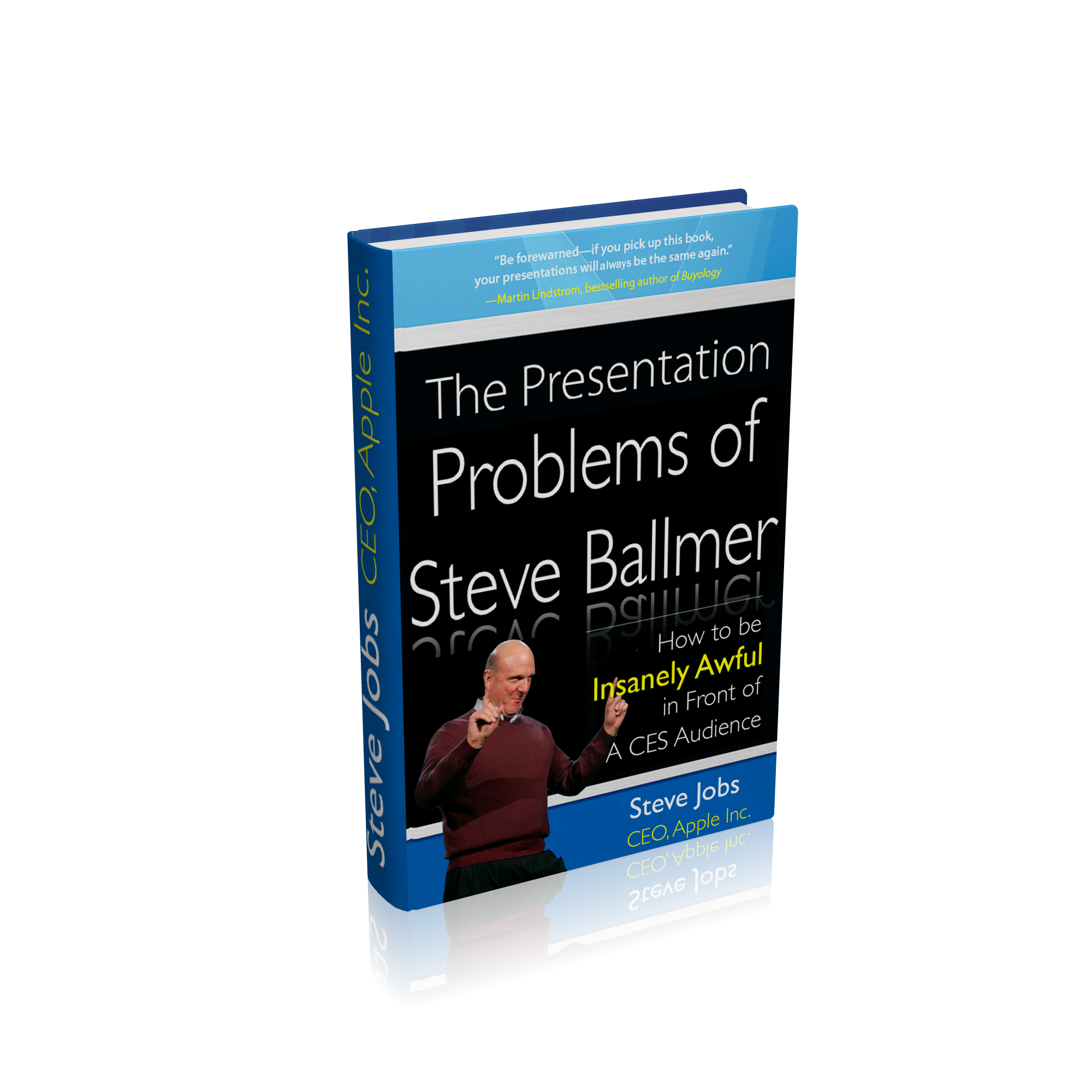
Steve Jobs to Steve Ballmer: So you think you can do a Keynote? About a tablet? Here, read this book I’ve written just for you.

Did you catch the CES keynote delivered by Microsoft CEO, Steve Ballmer during the week?

In the last few years, Microsoft has been the kick-off keynote at CES, with many looking forward to see what it has to offer for the year to come. Bill Gates of course did several of them, and the world’s richest man was always a drawcard. He was not a great speaker, and his slides were not what you could call inspired, as I have described on a blog entry from a few years ago. (At TED recently, he has obviously been coached in terms of slide design and presentation skill).

When Steve Ballmer took the reins as CEO, he too became the first keynoter at CES, showcasing Microsoft’s wares in terms of software and hardware, usually giving time and space to OEM partners like Hewlett-Packard.

This year was no different, and rumours that Ballmer might show a much-rumoured tablet called “Courier” raised temperatures a little, even if they didn’t reach the fever-pitch Apple’s alleged tablet created.

When Apple makes it known that it will be holding a “special event”, speculation begins and builds huge expectations. There are many reasons to wait in anticipation of an Apple keynote:

1. Will Steve Jobs be the primary speaker (and how will his health appear)?

2. What new products will be shown?

3. Will these products be updates to existing ones, or will Apple introduce a new genre, taking something familiar and turning it on its head? And when will they become available?

4. Will Steve Jobs perform his keynote using an updated version of Apple’s presentation software, Keynote?

5. Will it be confirmed, yet again, that he is one of the world’s great presenters and speakers, worthy of emulation?

Steve Jobs regularly makes lists of admired presenters, with many attempting to emulate his style, often not successfully. Probably the worst attempt to “channel” Jobs was Facebook’s Mark Zuckerberg’s 2007 F8 performance.

His performance was contrived and stilted, leaving those who had been comparing him to Steve Jobs at the same age a little embarrassed. He’s a smart cookie, but somewhat shy which shows in his presentations and interviews. Search YouTube for his many interviews.

One person who has taken more than a passing glance at Jobs’ presentation style as one to emulate is California-based Carmine Gallo, who maintains a BusinessWeek blog here.

Last year, he wrote a very popular column which then became a best selling book deconstructing Jobs’ presentation skills.

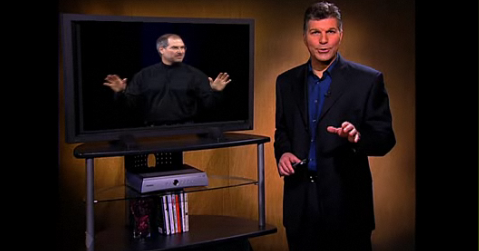
First, you can see him present his ideas here:

Click here to see the video in action

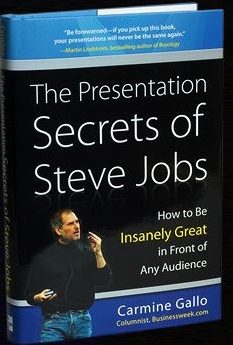
Here’s the book cover for Carmine’s publication, which he has kindly allowed me to offer as a prize during my Presentation Magic workshop at Macworld next month.

While many including myself have discussed Jobs’ presentations, Carmine’s is the first in book form, and which allows him to personalise, through Jobs, his own long-considered thoughts on how CEOs in particular ought to present ideas, concepts, services and products.

It’s hard to put a value on how much these presentations add to the acceptance at first blush of Apple’s product announcements, but it should be added that not all Apple Keynotes showing new products see Apple’s share price rise.

Quite often they fall, due to the extraordinary hype and expectations leading up to the keynote, and the disappointment sometimes experienced by financial commentators.

This past week, this fall occurred to both Microsoft and Hewlett-Packard after Steve Ballmer took the CES stage and showed an H-P tablet powered by Windows 7.

In the months prior to CES, the rumour mill had struck up a conversation about the “Courier” tablet. Take a look at this supposed leak reported by Gizmodo here.

Long time observers of Microsoft have become very aware of its capacity to hype “vapourware”, but there had been high hopes that Steve Ballmer would discuss Courier, what with an Apple tablet seemingly on its way. When a regular H-P tablet running Windows 7 was displayed, the disappointment was palpable, and widely reported in mainstream media and unforgiving blogs.

But there is more to it than the product. There is something about how Ballmer presented at CES that draws a comparison to Jobs, for those interested in presentation skills.

You can watch the official Microsoft stream of CES 2010 here, but for now watch this audience-generated YouTube version below (be aware of cuts between views of the stage and projector-based close-ups):

There are also numerous CES 2009 Microsoft keynotes with Ballmer you can view on YouTube so that you don’t think 2010 is the exception, because it’s not.

But if we keep ourselves to the keynote just past, there are a number of contrasts with Steve Jobs to offer, some of which might help readers with their own presentations.

1. Despite his avuncular appearance, Ballmer is more Phil Schiller than Steve Jobs. Which means his overt cudliness doesn’t translate into emotional warmth. As with Schiller, (I have attended a Schiller and a Jobs Macworld Expo keynote, but not a Ballmer one) I feel like he’s talking, even shouting, at me. Despite what has been written about his interpersonal style one-on-one, Jobs’ on stage persona exudes warmth, approachability, and yes, friendliness. You feel he’s holding a conversation with you, even when he’s in front of a 5,000-strong audience.

2. On stage, Ballmer reminds us that “once a salesman, always a salesman”. Both Jobs and Ballmer talk up their companies’ financial success in the year just gone, but Jobs chooses to illustrate his review, while Ballmer just tells me. But more conspicuously while both overuse hyperbole  – “it’s perfect vs. we couldn’t be happy” – I never lose sight I’m in the presence of a salesman with Ballmer. That’s fine for some audiences, especially inhouse, but when you’re being broadcast to millions around the world, you need more than being a “Mad Man”, you need to convey a vision for the future, where these products will take me.

Perhaps because the tablets and devices (other than gaming) he was showing were made by others, powered by MS software, there was limited ownership of what the product was going to do for me. With Jobs, whose Apple owns the whole widget, you get the feeling the company has thought through a vision for their technologies and how they will be used. These aren’t Ballmer faults per se, but for a CES keynote you want more than just a few warmed over products (as they have been described) to excite the masses.

3. Ballmer tells no stories, just sales pitches. It’s the proverbial solution in search of a problem. As Gallo points out, when Jobs introduced the iPhone, when many had said Apple should stick to computers and not enter “a mature” technology domain of mobile telephony, Jobs set up the usual suspects (Nokia, Sony, Motorola etc) as antagonists, then brought in the iPhone as a hero who would save us from complicated, incomplete and limited solution devices. He offered a solution to a problem we didn’t know we had, a mantra for Apple if ever I heard one.

4. Probably the least happy part of the CES 2010 keynote (apart from the very lame Seth Myers videos) was how Ballmer demoed the HP tablet. If he didn’t already know that there would be widespread disappointment that the Courier would not be discussed and the H-P would be a poor substitute, he showed an 18 second demo from H-P which told me nothing. See it below:

Yawn-worthy, and the tech mags have paid out heaps on Ballmer for this…

But then he picks it up, holds it in front of his tummy so he has to bend his bald pate down to see what he’s doing upside down, and fumbles the demo. How hard would it be to hold it out in space, let us see its form factor (remember how Jobs demoed the MacBook Air?) and operate it away from his body in its own space? Or move himself to a lounge chair and simulate how an end user might work with it (it’d look warm too), while a camera on stage offered close ups. This was a big mistake, and suggests a combination of lack of rehearsal and feedback from others.

5. There are some awkward moments on stage when Ballmer is joined by a colleague doing another demo. Ballmer hangs about on stage, hands on hips watching close up, or looking around (below). What’s with that?

Then he invites his colleague to walk across the stage for another demo, which invokes the classic comedy routine, “Walk this way“, (below).

Watch how Jobs works with colleagues and guests on stage. He greets them with a handshake, hands them the clicker, and leaves the stage! He doesn’t crowd them, nor have them hanging around looking limp, but either gets out of their way, or interacts with them, as in his comical interactions with Schiller. In other words, he is generous on stage, helping his colleagues look good (even when they may know they can’t compete with his presentation skills). Take a look at this Apple Keynote video compilation where Jobs is working with the CEO of Sony Japan who is almost incomprehensible on stage and see for yourself. (Advance to 1’15”)

6. Finally, within a few minutes of opening his Keynote, Ballmer disempowers himself by giving centre stage to the previously-mentioned Seth Meyers clips (left) which are unfunny and don’t lend itself to a visionary experience to come.

When Jobs shows clips they usually feature his own team and how they came to conceive and build an Apple product or service, professionally delivered and not playing for cheap laughs. They excite us about the product, showing us what exists below the simple, shiny surface demonstrating the amount of thought which has gone into the product.

You can bet we will see this when Apple unveils its tablet. Rather than a few stingy minutes spent in a poorly conceived demo, we will be left with a sense of awe and desire for the tablet. That feeling may pass in the hours and days that will pass, only to be invoked once more when we pick up the object of our desires in our own hands.

Is there a way out for Ballmer, so that we don’t see a re-occurrence of these presentation foibles at future CES conventions?

Yes. I’ve just been sent a book by Steve Jobs himself, inspired by what Carmine Gallo wrote about him. It’s a one of only two so far produced (the other one was sent direct to Redmond). Let’s hope that a PDF of it is created, as well as Powerpoint slides given away free embedded in Office 2010 when it’s released in June.

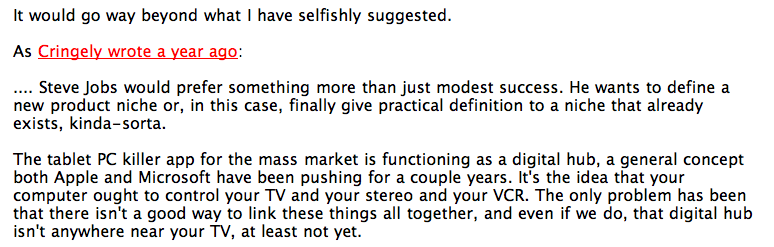
Am I jumping late into the Apple tablet cheer squad? I don’t think so, nor would Cringely think it either…

Now that Steve Ballmer has undressed the HP “back to the future” tablet PC at CES last night, supposedly calling it a “slate” type device in an attempt to steal Apple’s forthcoming thunder, we can take a break from Apple tablet killer prognostications and review a little history. (PC World called the HP tablet “underwhelming”; The respected Tom’s hardware rated Ballmer’s keynote a “complete fizzle”.)

I strongly recall Steve Jobs showing an Indiana Jones “Raiders of the Lost Ark” film clip a few years ago in a keynote showing a new iPod which disappointed the punditry because it did not feature video. This was the October 26, 2004 “special music event” which saw the release of the U2 iPod, as well as the colour iPodPhoto. The clip itself was an Indiana Jones movie and featured Harrison Ford (Indiana Jones) and John Rhys-Davies (Sallah) looking at each other in close-up. Steve Jobs used it to say why Apple was introducing a photo-based iPod and not a video-based iPod as many had been hoping for… and had already been released in a rather clunky form-factor by Apple’s competitors.

The lines from Indiana Jones are (from IMDB.com):

[the old man reveals writing on the back of the medallion, which states that part of the staff must be removed]
Indiana: Balloq’s medallion only had writing on one side? You sure about that?
Sallah: Positive!
Indiana: Balloq’s staff is too long.
IndianaSallah: They’re digging in the wrong place!

By this, Jobs publicly offered that the world was not ready for a video-based iPod because taking and sharing photos was what the world wanted, and there was no suitable content for the iPod video. Not all agreed with him. What we later learnt was the subtext to this was that Apple was not yet ready to release such an iPod because the right deals with media producers (Hollywood film producers, as well as television series makers) hadn’t been concluded. Unlike Apple’s competitors who provided the means to (slowly) rip your own media onto a portable player (sourced from DVDs and VCR recordings – this was 2004, remember), Apple’s way was to do deals with the industries who made and controlled the distribution of quality video content. Your viewing of video on the iPod would be high quality commercial content done legally, not YouTube quality backyard wrestling, cats getting stuck in tissues boxes, or illegally ripped content.

Then  year later, deals in place and iTunes updated, the 5G video-enabled iPod was released.

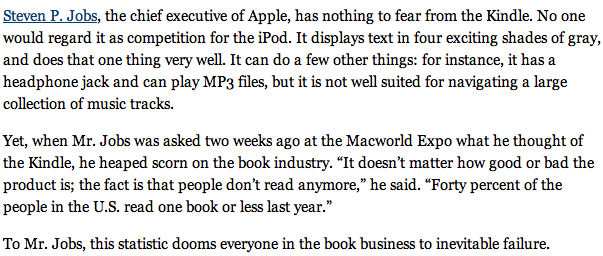
Fast-forward a couple of years to Macworld 2008 for Jobs’ next misdirecting statement that clues us in, his famous “People don’t read books anymore” when discussing the release of the Amazon Kindle. Here’s how the New York Times’ Randall Stross wrote about it, January 27, 2008:

The Stross article went on to dismantle some of Jobs’ comments, but in a few weeks time we will once more discover how misdirecting Steve can be. Why? Because we are probably reading and writing more than ever before, if we include email and web-based work. In other words, there’s reading and then there’s reading. And Steve knows this.

What you will hear in the next few weeks, while those who had hoped for the Holy Grail of tablets to emerge from CES bear their disappointment, will be much “Apple didn’t invent it” invective. As if that should dismiss any entitlements Apple might have to develop something revolutionary.  As Jobs showed with the iPhone introduction three years ago, you introduce a new Apple product by taking the usual suspects lauded to be the best, fillet them by showing their weaknesses, and then not just close the gap, but leap passed it – even with your first attempt. And rather than put everything you’ve got into the initial product, bring it to market when it’s ready to do its job but not before. In the iPhone’s case, it started off fairly knobbled compared to the current 3GS version. But back then, AT&T certainly didn’t have the 3G bandwidth Jobs knew would be necessary to realise the iPhone’s full potential with the mobile Safari browser, and Apple was still to put in place its road map for independent developers of applications, now downloaded in the billions, and perhaps apart from its UI, the iPhone’s key advantage.

The same process has been applied, and will continue to be with the tablet. When detractors see it, many will feel underwhelmed by it given that it now rivals Moses’ tablets brought down from Mt. Sinai (as you can see below, originally containing 15 commandments on three tablets, but Moses was a bit of a klutz…) in comparison to the Jesus’ phone (odd public descriptions given Jobs’ Buddhist leanings… I imagine Britt Hume doesn’t buy Apple products).

So when Jobs speaks about “nobody reads books”, don’t confuse it with “reading”, because this is one thing the tablet will excel at it. Not just the hardware to aid your reading, but the source and content deals he has already stitched up, which we will see demonstrated and discussed by various media representatives on stage. If anything, the tablet will likely increase reading rates around the world by making it fun, with multimedia, instant access, and value-added. Encyclopaedic works will come alive, updated on a regular (no doubt subscription) basis in a way Microsoft’s Encarta tried but failed to do, ultimately thwarted by Google. More egg splattered.

Just imagine a child is reading a book on his tablet, comes across a word he doesn’t understand, and then through a series of clicks or swipes on the word, causes a balloon to pop up on screen. There, either a video recording of a person or perhaps just the words appear, giving the word’s meaning, origin, synonyms and pronunciation. (I use he because boys have more reading difficulties than girls). Reading becomes fun again for kids and their ability to spell enhanced. If the child grows tired, who’s to say another couple of swipes and the book is read to them. Just think of what occurred to Garageband at its last update when world-famous musicians and their tutorials were added to the application. Who’s to say if Apple has not done deals with the likes of Audible.com or other audiobook publishers, or even updated its speech synthesis capabilities to be more “natural” and less robotic, as with the iPod Shuffle 3rd gen.

I know that for some I may seem to be jumping late onto the bandwagon of cheering for a tablet, but you’d be very wrong. Let me refer you to a blog entry I wrote five years ago in December 2004. First some screen shots so you can see it for yourself, and a link here for the full article.

As it turns out, the name “iScribe” is used by a physician eprescription service for PDAs. And because of his dissing of reading books, I can’t see John Gruber’s suggestion Apple resurrects the iBook nomenclature coming true. Let’s wait and see.

Please Mr. Jobs: Suck in the publishers with your tablet’s promises of saving their sorry backsides, then grab them where it hurts, don’t let go, and change the way science moves forward

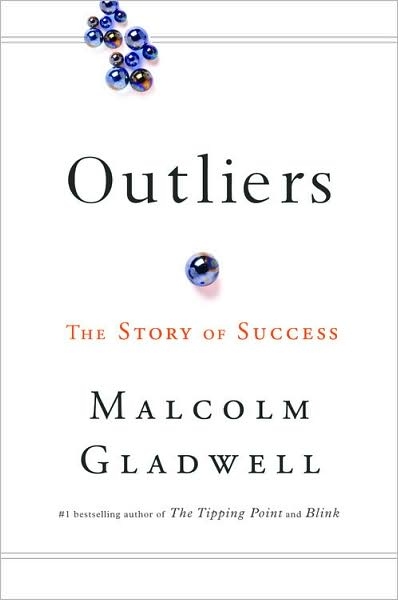
I was born in the same year as Steve Jobs and Bill Gates. Turning 21 in 1976 was a special event according to Malcolm Gladwell in his most recent book, Outliers.
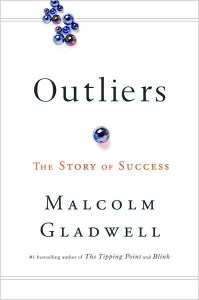
In the same year, 1976, Sun Microsystem founders Scott McNeally and Bill Joy were also 21, turning 22. Microsoft co-founder Paul Allen was already 23. These five men have had a huge collective impact on how we work and spend our leisure time, even if at the time they began their enterprises, they didn’t know what was ahead of them.

Gladwell’s hypothesis is that their youth and backgrounds came together with the technological zeitgeist to allow them to do what they did in their early twenties, while companies led by men and women in their forties and fifties couldn’t grasp what was to come.

I mention this because so many of my professional colleagues still have not grasped the relevance and importance of the technologies these men developed, describing to me how they’ve been dragged kicking and screaming into using technologies for the professional lives. Last year and in 2008, I ran courses for my colleagues on how to make their professional lives a little easier using technology and the level of “Oh my gosh – you can do that!” was palpable.

It felt the same way when I visited Boston in November for the “Learning and the Brain” conference (I’m heading to a follow-up after Macworld next month in San Francisco), and attended a session by a class teacher who now offers workshops for teachers working with children of the digital age, so-called Millenials.

Her breathless “Gee-whiz, look at what Facebook’s doing” was incredibly annoying and I had to bite my tongue on several occasions. But I have to acknowledge that perhaps I am an exception, if I compare myself with others my age. My partner’s children who are in their early twenties think she and I are so cool, because we got them both to take up the Mac platform, to take on iPhones, and we do their tech. support for both. Usually it’s the other way around in families.

My first direct contact with a computer was a mainframe at university in second year when I had to learn to program in Fortran and use punchcards. My first contact with SPSS, a major science statistical package, also used punchcards. I recall doing my Masters in 1980 when visiting the library to perform a literature search meant speaking the with librarian, spending time finding the right keywords to search with, then waiting a week for the printout search results to became available.

After, I headed into the journal stacks to start locating the articles and photocopying them. Later, I learnt how to use Current Contents and Psychology Abstracts to better guide my quest, but it was all so slow and tedious.

After joining Compuserve around 1990 and getting my own email address (1000033.271@compuserve.com or something similar) I used its very expensive service (I had to call overseas @ $2/min in 1990 dollars) to track down articles and publications.

Later, when the intertubes became available (I was firstly lposen@ozonline.com.au) as well as lposen@aol.com (don’t worry, it already gets so much unchecked spam) a whole new world of communicating with peers and researchers opened up. Whereas before I had used snail-mail to write to researchers for paper copies of their original research – the turn-around time would be around three weeks if they responded promptly – I could now email the senior author and often overnight a response would come together with a PDF or link to a website, with the bonus of a email-based dialogue commencing.

Let’s fast-forward to January, 2010. I still email authors, but more and more I am using Google to track down original research publications, often on researchers’ own websites, or free in certain journals. Or I’m using software such as DevonAgent or Papers to both search and archive research papers. (I highly recommend these Mac applications for researchers.)

When one gets used to free, it becomes hard to bring oneself to pay. Even when one knows it’s the “right” thing to do in terms of copyright and rewarding creativity. Millenials especially seem incapable of understanding the idea of paying when they have spent their lives knowing how to obtain their music or videos for free.

Every so often, despite my assiduous efforts to track down free publications, I am refused entry and referred to payment pages for journal articles. I get the abstract for free, then a link to download a PDF or MS Word file takes me to a virtual payment checkout. I’m talking here of peer-reviewed research, the sort of thing I’m meant to read to keep myself current by law. With hundreds of journals publishing relevant research, I cannot afford to subscribe to each one for the occasional relevant article. Nor do any of my alma maters offer a service where as a graduate I can access their electronic libraries as do enrolled students and faculty.

So like many independent practitioners, I have to rely on my wits to get what I want. I join discussion lists where others have access to material they can distribute and of course I continue to email directly.

It’s an OK system, but it can be improved upon. Others have also recognised the almost prohibitive cost encountered with paper-based science publications, and together with concerns about the peer-review process, have begun online, copyleft-type clearing houses of information. One such community is PLoS, the Public Library of Science.


PLoS is

“… a nonprofit organization of scientists and physicians committed to making the world’s scientific and medical literature a freely available public resource. All our activities are guided by our core principles.

Open Access: Everything we publish is freely available online for you to read, download, copy, distribute, and use (with attribution) any way you wish. Watch 1-minute videos from a teacherfunderpatient advocatephysician scientistlibrarian, and a student about why Open Access matters to them.”

You can also send your original research to PLoS and have it peer-reviewed.

Now, you might want to know the views of those in the mainstream journal domain and if they feel their money stream to be challenged by PLoS. So I Googled to find out and one of the first results came from one of the premier science journals, Nature:

Ah, the irony! To read what Nature has to say about a free peer-reviewed journal system, I have to pay for it!

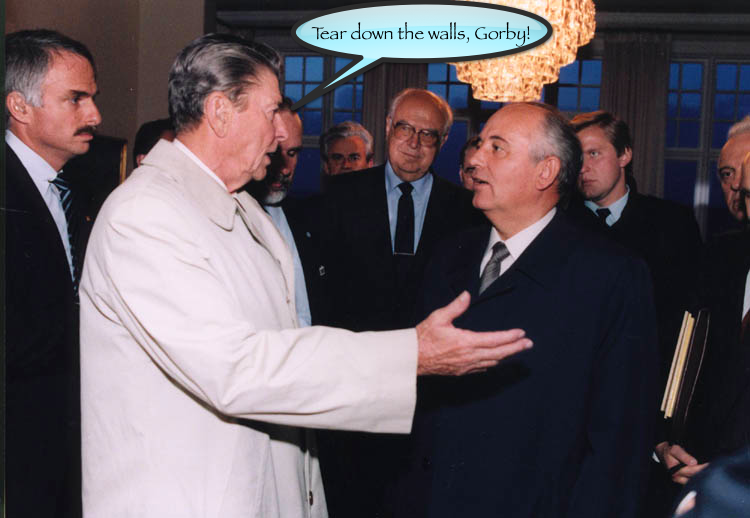
What was it Reagan said to Gorbachev? “Mr. President, tear down these walls!”


Well, I’m saying the same thing to Steve Jobs: “Steve, mate, help science along by luring the publishing world in with a tablet as a lifeline to a dying industry, then grab them by the short and curlies like you did with the music industry!”

You see, if I could get a hold of a journal article for my tablet for 99c, I’d grab it in a heartbeat. But how much do publishers want now for a single article?

Take a look below at a screenshot of an article I wished to buy today, from a lead sent to me by a fellow twitterer:

This is a 9-page article published by the APA, one of the USA’s premier associations for psychologists and a major publisher of peer-reviewed research.

I would spend $11.95 on a book, but not an article unless I was heading to a deadline and my article was incomplete without referencing this publication. And you can bet I’d claim a tax deduction for “Professional Library“.

Occasionally, journals will offer one or two free articles in a special journal devoted to a particular topic, but more often than not I am asked to pay exhorbitant rates to download pdf files.

Now, let’s have a look at another system, this time from the National Academies Press. In 2007, I read a review of a great and recommended book on the so-called Information Overload problem, authored by Alex Wright called: Glut – Mastering Information through the Ages.

This is a book you ought to read if you believe information overload is a problem of modern times, and Wright, with his library studies background, does a great job offering up a history of humankind’s making sense of the world. It’s nothing new, to give you the three word synopsis.

After I had read the review (Google <Alex Wright> to find a video of him speaking at Google) I was satisfied it was a book I wanted on my bookshelf.

A brief search lead me to the NAP site, where to my delight I discovered a number of ways I could access the book.

Firstly, I could order the book delivered to my postal address, and pay online for a discount. Fine. Or, I could for a little extra, order the book AND a PDF of the book too. Which meant several things… I could keep a copy on the bookshelf and on my Macbook Pro for reference and for cutting and pasting text into my Keynote presentations; I could access the illustrations for fair use without having to resort to photocopying and scanning to put it on a slide; I could copy and paste sections within fair use into an email to send to friends to interest them in the book and open discussion.

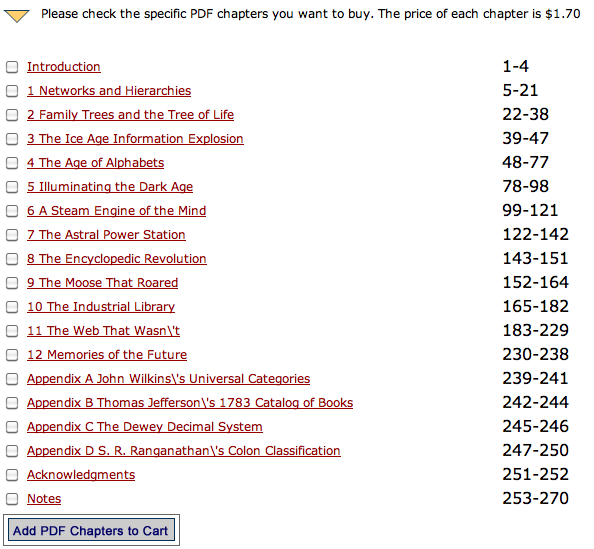
Or, I could preview each chapter, and order one as I went along, eventually owning the whole book in PDF format. So, if after reading the first chapter, or perhaps reading a chapter of interest, I could leave it there. It’s a little like sampling music on iTunes. I can hear some of the tracks, I can buy the album, or I can buy the individual tracks.

Take a look at the NAP website screensite below to see the options:

Here you can see the options offered. Notice, will you, the price per chapter: $1.70

That’s a far cry from $12 for a journal article. Now you might ask how many pages per chapter.

So if you click on the website, you get to see how to download each chapter for the same $1.70 no matter how many pages (sound familiar?)

Take a look below….

Isn’t this the iTunes music model, but already existing for publications?

Buy the whole thing (even in hardcopy) or the whole PDF which will download as soon as you pay (its 63MB will take under a minute on ADSL) or buy both and wait until the hardcopy arrives in the mail. Apply the same to journals. Even now, only a few articles in each journal I receive as part of my professional membership registration interest me. The rest is a waste of paper.

Mr. Jobs, please let me do this now with publications. I’ll still try and get what I can for free by writing to authors and opening up a dialogue, just like some musicians give away their music, but let them earn a buck and let me gain easy, ready access to articles I can read on my tablet. Just make it affordable and within a click or two’s reach. The irony is that researchers get nothing when their work is published in peer-reviewed journals. But it’s imperative they publish, not just to advance science, but to satisfy their institution’s employments policies (“publish or perish”), obtain tenure, make a name for themselves to get a book contract, or  publish research sponsored by well-heeled corporates especially the pharmaceutical industry, then do the lecture circuit.

And do a deal with PLoS so they can earn some money for their efforts and offer even easier access to their wares. Using the expected multimedia capabilities of the tablet, let me see the authors discuss their experiments, show me any experimental equipment they perhaps used or questionnaires they employed I too can access via the tablet, and let’s move science forward rather than hold it back via paywalls. You know information wants to be free, right?

(UPDATE January 12, 2010: Searching through various twitter conversations showed up the Journal of Visualised ExperimentsJoVE – which is a visualised journal for the biological sciences. This is the sort of peer-reviewed research which would find an easy home on the tablet).

Despite what I said at the very beginning of this entry about my colleagues’ lack of technological-savvy, an easy to use tablet with a no-brainer yet compelling user interface and inexpensive access to the world’s knowledge storehouse on-the-run (3G or Wifi or both) will sell in the scores of thousands to scientists alone in the first year.

Pair that up with the ability of students to carry all their now-inexpensive textbooks with them, and you’ll have the next “Mastering Information down the Ages” revolution to further cement your place in history.

(Oh, and let it do Keynote presentations too, please?)

UPDATE (January 8, 2010): This post prompted me to go back and look at the PDF of Glut. Looked high and low, on my several back up drives, and couldn’t find it. So I emailed the publisher from whom I’d made the Book+PDF purchase, with the date of purchase and credit card number retrieved from my iBank finance application, and emailed the customer-support section. Within a few hours, I received an email reply from Zina Jones, National Academies Press’ Customer Service/Order Processing Manager who had retrieved my information from NAP files, and offered me another free download, which I duly complied with!

Think about this: How many books have you left behind on planes, at coffee shops, in hotel rooms, or lent to friends, never to be recovered. It’s not so bad if it’s a work of fiction, but what of a $120 textbook? You can’t just ring about Laurence Erlbaum and Associates and plead “I left my book in my hotel room!” and expect them to FedEx you another copy.

But as NAP has demonstrated (and as iTunes very occasionally allows for “lost” music files), you can recover your missing book and very quickly too, if you have kept track of your purchases. (It’s also why I never delete those receipts from the iTunes music store).

UPDATE – January 15, 2010: I located a very scholarly blog entry entitled:

Why Hasn’t Scientific Publishing Been Disrupted Already?

by Michael Clark (January 4, 2010)

Highly recommended reading

Forget an Apple tablet’s form factor – yeah, it’ll be stunning – it’s the apps that will be its ultimate success. Especially the ones that let you self-publish: 70% for you, 30% for Apple

Three years ago, speculation was rife that Apple would release a mobile phone at Macworld 2007. Apple kept shtum, admitting nothing publicly but as history now show, a chosen few got their hands on the iPhone ahead of its release under NDAs.

I wrote about it then on my now-orphaned Cyberpsych blog, not ready to accept it was actually coming, but predicting if it did arrive, it would contain all the hallmarks of Apple product design we’ve become familiar with over the years, especially since Jobs returned in 1997.

During December especially, with Macworld 2007 being the first week of the new year, the rumours and “confirmations” mounted daily, and now in 2010, in feels like deja vu all over again.

Another landmark product, which as Jobs showed with the iPhone gives Apple a further opportunity to introduce the next interface (r)evolution to the masses, is my prediction, despite commentaries asking why we need another tablet (Joe Wilcox, don’t hold Apple to Microsoft’s product standards and marketing).

If you’ve been watching Apple for the last decade or so, or at least kept up your observation at a distance of how Jobs operates, you’ll know his design mantra centres on bringing complex engineering feats within the reach of ordinary users who don’r need degrees in rocket science to manage. This kind of exactness of execution and attention to detail can’t be achieved at the cut throat prices Apple’s apparent competitors sell their wares for. I say apparent because Apple and say Dell or HP sell computers with much the same internals. Where they differ is:

1. Design

2. Packaging

3. Marketing

4. Operating System software

5. Point of sale experience, Price and After purchase experience.

For some people, price is all that counts, which is how Microsoft’s most recent advertising using “real” buyers pitched its cause, even acknowledging the coolness of Apple’s products. The coolness factor is meaningless for many, perhaps even a turn off, and as long as the specs. appear much the same, the experience ought to be as well, no?

Er, no. It’s like saying because two presenters use slideware their presentations will be equally satisfying or effective. As if.

So when it comes to an Apple tablet don’t expect just another interface that we’ve already experienced. It’s not the Jobs’ way. Whether it brings with it a new tactile feedback device for both keyboard and object manipulation – such as application “windows” , flicking pinballs in various games, underlining or highlighting words on a page, and turning that page or chapter with the flick of a finger or two which feels like a flick – it will likely exceed what we’ve seen in the iPhone. It gave us visual and auditory feedback, rather than haptic as has been mooted for the tablet.

But if history is to repeat itself – yes, early adopters will pay a special Apple tax – it won’t be the design alone that will win hearts and minds, and have competitors scratching their heads dreaming of counterattacks (apart from suing Apple for alleged patent infringement). As we saw with the iPhone, it’ll be the software. Not just the operating system software, perhaps iPhone OS 4.0, but what the software will allow in terms of Apps. I fully expect a chosen few app. developers will demonstrate their special versions of existing iPhone apps. as well as new ones specifically designed for the tablet. And I further expect companies fully immersed in the enterprise setting in a very big way to show both hardware and software developments which could only be constructed for the tablet. I’m thinking here of medical applications, already utilising tablet configurations for data storage, but which will really come of age with the Apple tablet’s OS and feature set.

I have no insider information, but I will not be surprised if Apple released its own homebrew set of apps for the creative set, in particular versions of iLife and iWork which will enable users to create endproducts which will somehow be compatible with desktop versions of iLife/iWork.

Let’s think of Pages for a moment, with its dual functions as word processing and desktop publisher. What if Apple provided you with all the necessary tools to create your own book, upload it to the new version of iTunes which will be released the same day as the tablet, and be a saleable item – yep, Apple takes 30%, you get 70%.

Talk about cutting out the middle man, the publishers of expensive textbooks, magazines, and novels! There may be a new industry of for-hire editors to help shape it up, deals with sites like iStockphoto to enable you to fill your book with royalty-paid illustrations (or perhaps help you find specialist illustrators who can also show their wares on a new iTunes store), and even the opportunity to add music to your publication from the iTunes store. Apple will take of royalties for the music publisher in one easy and attractive arrangement.

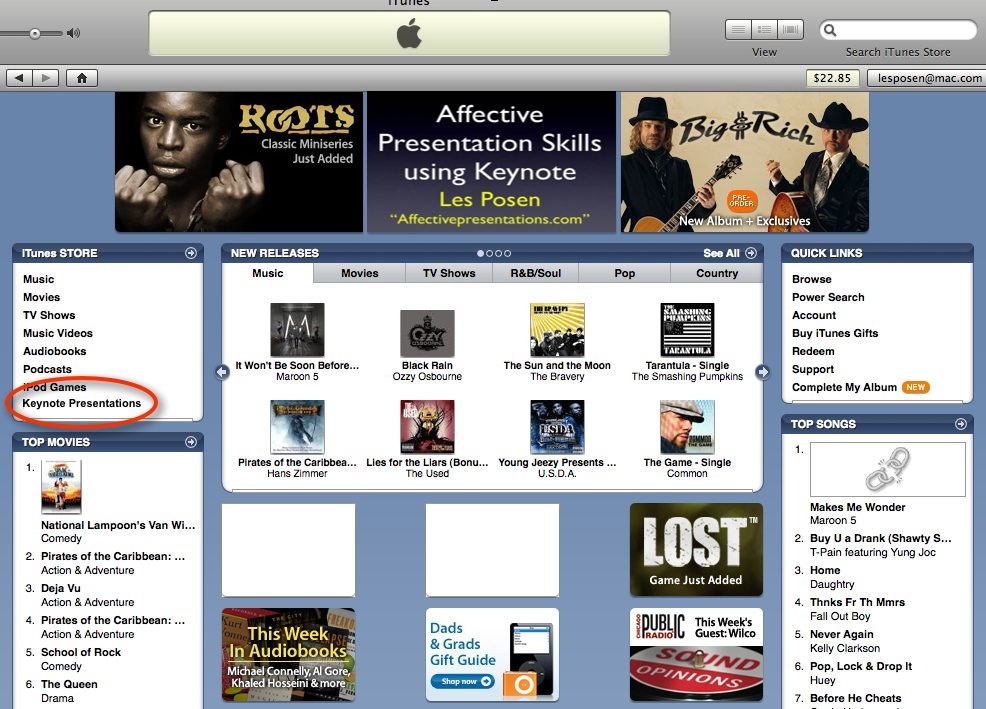
With respect to Pages’ older brother, Keynote, I have some time back (May, 2007) written of what might happen if your Keynotes could be uploaded to the iTunes store.

Again, a place to show your wares, but it seems iTunes U has to some extent executed this vision by using Quicktime movies exported from Keynote rather than raw Keynote files to provide the educational material. Given the possibility that the next version of Keynote may well be Snow Leopard-only, it’s hard to see how a tablet could create Keynote files to be imported into the desktop version.

That’s not to say a tablet couldn’t be integrated with the management of regular Keynote files, much like the iPhone can in a rudimentary fashion. But rather than just control the slides forward and back, why not call up each slide at will while they’re laid out in order on the tablet, big enough to identify. Stacks of slides that go together, which can be organised in Keynote now, would take care of huge numbers of slides in a stack. And going beyond that, as I have suggested elsewhere on this blog, why not use the tablet to live annotate your Keynotes, even monitoring Twitter feedback during your presentation which is becoming a popular conference activity. This already occurs with tablet-based Powerpoint for Windows.

So, to all those focussed on the hardware aspects of the tablet, don’t forget how after the excitement of the iPhone form factor, it was the app store that provides for its clear lead over its competitors (who will ever catch up with 100,000+ apps?).

I have no doubt that while we swoon over a tablet’s form factor in late January, it will be its software, interface and ability to disintermediate the current publishing houses that will be its permanent “of course, why didn’t I see it coming” factors. It won’t happen first, because for the tablet to succeed it will provide for the same publication houses to sell their wares. But as the music recording industry discovered when they allowed iTunes for the Mac to come to market, in a few years, self-publishing via the tablet will have them asking if they made a deal with the devil, which is where the details will be.

Oh, and one more thing… just as with the iPod and the iPhone, watch the detractors leap on it, disappointed the tablet doesn’t also make toast. The usual suspects will also emerge without the wit or elan to actually commend Apple on shifting the digital world forward incrementally. Don’t worry, that’s their job… someone’s got to do it.

Learning Styles and Presenting: Are you using poor science to deliver your Keynotes?

If you take your presentation giving seriously, no doubt you will have conducted some research along the way, otherwise you’d never have arrived at this small part of the blogosphere.

That research could have taken one of a number of turns along the way, including researching:

1. Your audience

2. Your subject material

3. The intersection between your preferred presenting style, the subject material and the audience.

Now if you’re here on this blog, your preferred presenting style is likely to include using slideware such as Keynote or Powerpoint, but it could also include Apple’s Preview or Quicktime, or Adobe’s Acrobat amongst a number of multimedia applications. But there maybe times when you’ll decide that (1) and (2) together suggest leaving aside technologies, and just doing a stand-and-deliver, such as being a best man or bridesmaid, father or mother of the bride or groom, sports coach or trainer, etc.

Now for some time it’s been argued in train-the-trainer and pedagogical domains that audience members have their own learning style, and presenters do well to try and match those style(s).

If you head into the literature to read up on learning styles, one of the terms you’ll most readily come upon is called VARK, which stands for Visual Aural Read/write Kinaesthetic, and refers to modalities of learning and expression.

The suggestion is that information presented in certain ways is more likely to be assimilated when its presentation style matches that of the receiver’s preferred learning style. In the therapy field, the question of preferred style has been popularised by the controversial therapeutic approach known as Neuro-linguistic Programming (NLP), which has also made inroad into corporate training.

Relevance to Presentation Skills

If you attend 99% of Powerpoints delivered in the corporate world, it would be fair to say that the presenters (or is it the HR or Marketing departments) have made an implicit assumption that their audiences’ preferred learning style is Read/Write, with a little Aural thrown in when the presenter reads the slide to you!

Which is at odds with what recent neuroscience tells us about the centrality of the visual system to our operating in the world outside our heads, ie., while many of us engage in loads of self-talk (hundreds of words a minute said to ourselves) in terms of perceiving the world out there, we use our visual systems in preference to our other senses.

In contrast, I’ll often talk about my dog, Shrek, when speaking with groups (and patients for that matter) about information processing as it’s generally believed canines’ order of preference for sense-making is: Olfactory (smell), then Aural, then Visual. If you watch your dog closely, you’ll see his or her nostrils flaring frequently, sampling the odours around him (and at quite some distance too), and his ears will cock and move around independently (most easily seen on a German Shepherd Dog, like Shrek). He’ll prefer to initially sniff and cock ears, than move his head to look.

The idea of representational system preferences, as argued by those who advocate systems like VARK, has been around for quite some time, especially when it comes to the teaching of children. And of course, in the professional domain of presenting to adults, it also bears some thought as to how an audience can best learn new material.

But short of giving everyone a questionnaire before the presentation and then doing the math on the group’s average scores (you can look at a VARK questionnaire here), what can a presenter do? And moreover, is it that necessary to think about these styles, apart from the predominance of the visual to humans?

New and controversial research was published late last year in the journal, Psychological Science in the Public Interest. (You can see an abstract here). Entitled, Learning Styles: Concepts and Evidence, the paper (Authors: Harold Pashler, Mark McDaniel, Doug Rohrer, and Robert Bjork) discusses the history of learning styles and serves to challenge many of the assumptions which have been held dear by many trainers over the last few decades.

Here is a part of the Abstract:

“For more than three decades, the idea that instructional methods should match a student’s particular learning style has been a powerful influence in education. The wide appeal of the notion that, for example, some students best learn visually while others best learn by listening is evident in the vast number of learning-style tests and teaching guides available for purchase and used in schools. But does scientific research really support the learning-styles hypothesis?  In a new assessment of the available evidence, authors Harold Pashler, Mark McDaniel, Doug Rohrer, and Robert Bjork conclude that the learning-styles hypothesis has little, if any, empirical grounding.”

Now if you are steeped in your thinking about learning styles, this will come as something of a slap in the face.

It’s much like I present to Presentation Magic attendees steeped in the cognitive style of Powerpoint who are in for a rude shock when I suggest that slides filled with text and abiding by certain rules such as “6 x 6” (“slides should contain no more than six lines each containing six words”) have no empirical support.

Here’s how the authors conclude their abstract:

“What psychological evidence does show is that people are inclined to hold false beliefs about how they learn and that they tend to learn and teach others in nonoptimal ways. Among other things, the report has significant implications for instructional approaches, and underscores the need to ensure that teaching methods are informed by sound scientific research, not fad educational theories or intuition.”

The Chronicle of Higher Education’s David Glenn interviewed the lead author, Harold Pasher, who offered the money quote for presenters:

“What (it) means for instructors.. is that they should not waste any time or energy trying to determine the composition of learning styles in their classrooms. (Are 50 percent of my students visual learners? Are 20 percent of them kinesthetic learners?)

Instead, teachers should worry about matching their instruction to the content they are teaching. Some concepts are best taught through hands-on work, some are best taught through lectures, and some are best taught through group discussions.”

In other words, if we can generalise to adults in presentations (perhaps a dangerous thing to do), do understand in general how humans learn, but keep a close eye on your content and how it can best be presented so that most in the audience have a half-chance of catching on!

And it also means, mixing it up, repeating the message in a variety of formats, switching modalities including your voice cadence, can all serve to increase the chances of audience engagement (and learning)  as well as having them do things, even if it means unsettling them emotionally before you bring your talk back on topic (something I just seem to do without much effort or preparation. I call it my “Huh? Aha!” approach to presenting. It’s my personal style, but one I use sparingly, mixing it up with other styles). Having your audience just sit there and read your slides (or have you read them) is almost universally high on lists of presenting don’ts, but still remains the dominant method of presenting.

In my Presentation Magic workshops, I look to the evidence and try to acquaint attendees with what to me is the research that informs the presenting-by-slideware domain. Several names appear frequently in the literature, and one of them is Richard Mayer from UCSB, who has researched more than most the constructs underlying multimedia learning.

The Chronicle’s Glenn also asked him about the Pasher et al research:

“Even though the learning-style idea might not work,” says Richard E. Mayer, a professor of psychology at the University of California at Santa Barbara, “it might encourage teachers to think about how their students learn and what would be the best instructional methods for a particular lesson.”

Not everyone supports the research findings just published, suggesting that the paper is too thin when it comes to research showing that tracking students learning styles is a good thing.

Here’s how Glenn concludes his article, with part of an interview with David Kolb, a Professor of Organisation Learning at Case Western who has been in the forefront of this research for several decades:

“… Mr. Kolb also says that the paper’s bottom line is probably correct: There is no strong evidence that teachers should tailor their instruction to their students’ particular learning styles. (Mr. Kolb has argued for many years that college students are better off if they choose a major that fits their learning style. But his advice to teachers is that they should lead their classes through a full “learning cycle,” without regard to their students’ particular styles.)

“Matching is not a particularly good idea,” Mr. Kolb says. “The paper correctly mentions the practical and ethical problems of sorting people into groups and labeling them. Tracking in education has a bad history.”

In my next article I’m going to look at how two top thinkers in the presentation field, Garr Reynolds and Nancy Duarte, ask their students and clients to conceive of presenting along two orthogonal dimensions. Then I’m going to show you why that’s only part of the story, and why you need to consider a third dimension.

Better Presentations in 2010: Starting the year with a Keynote presentation tip and demonstration

Welcome to 2010, which is either the end of the first decade of the 2000’s or the first year of the second decade. Personally, I see it as the end of the first decade since there was no year 0.

In previous years, by now I would be in the US, either in NYC, Miami, LA or San Francisco (or all four from Christmas onwards) preparing to attend Macworld. But right now, things here in Melbourne are quiet and leisurely, so it gives time to catch up on TV and videos I didn’t see during the year, and of course prepare for Presentation Magic at Macworld in February.

Why would I spend time doing this during summer, when so many Aussies are outdoors? Well, it’s not as if I’m in hibernation, but we occasionally have such hot days here (over 40C several days in a row) that it’s best to stay indoors and avoid getting burnt to a sizzle. But more importantly, I get a chance to take my time pouring over media which I use for inspiration when preparing my Macworld presentation, as I’ll describe in a tip for better presentations a little later. But first…

What I was doing in 2009

I’ve  just about finished working on a year long project with my old college professor helping him develop a corporate-based resilience/better workplace performance program and book, using Keynote as the central message delivery tool. The delightful Acorn software has proved its utility in helping transfer Keynote’s exported slide images into a format suitable for inclusion in a workbook. Quite pricy at $49.95, I had originally purchased it as one of the apps. in a bundle that itself was about $60, so it’s update fee of about $20 was reasonable.

The main reason for getting the update was to take advantage of its ability to resize the images Keynote exported its slides as (72dpi) to a size the book publisher demanded (300dpi). Once this conversion takes place in only a moment, there is a menu instruction in Acorn which allows you to directly bring the image into Mail and send it, saving quite a few clicks.

Working over the length of time we’ve spent together with the Prof who is steeped in using Powerpoint for all his training and lecturing, has allowed me to see how he has grasped the more visual method I’ve been advocating for a few years now, in place of a text-dense style more commonly seen in the sciences and enterprise setting.

After a little time getting him oriented, the Prof quickly understood what I was on about, and became a very good apprentice, a rather ironic reversal of roles, but not an unprecedented one in the science field. I had a distinct advantage in being persuasive because the Prof’s background is delivering training systems in emotional regulation to teachers, students, and school systems. As such, he was very much up on children’s development in terms of their cognitive and emotional development, and of course their learning styles.

And being heavily involved in the teaching and training of teachers, he was aware of just how much new media is influencing that teaching, which made my use of Keynote so much easier for him to absorb.

A second and ongoing example

I’m also working currently on a new professional education program for my professional society. The aim is to bring recent graduates, as well as old heads, up to date with new new business models of practice management. This is especially important in Australia because of the admission of psychology services into our nationalised medicine scheme. Prior to 2006, mental health services within the public sector were primarily delivered by GPs and psychiatrists. Private psychologists’ services were only rebated if you had private health insurance, which here in Australia operates on a user-pays system, rather than the employer providing benefits.

When psychological services became rebatable under our universal health scheme, many psychologists left government and corporate employ to set up practices, while many freshly-minted graduates could hang up their shingle without the previous need to gather experience as an associate or employee of more experienced practitioners. Without their courses offering any business skills training, you can imagine that not all graduates, no matter how effective they may be, will survive the vicissitudes of being self-employed.

Hence, the desire to offer post-graduate training in business skills, which will also give applied training in both marketing and ethical behaviour. I was asked to join the reference group not just because I was a well known practitioner, but because the group leadership hoped to tap into my presentation skills.

The group has been meeting for several months, with a number of modules written already. Now it becomes my task to begin to turn them into some deliverable format suitable for both group training, and web-based delivery. Now, a few of the group know of my particular skills, while others merely thought I was proficient in Powerpoint. After all, how much variation can there be in how psychologists present?

A few weeks ago, with the group wishing to move to the next stage of the project, from writing to delivery, it was my turn to show my wares. At the last moment, one of the module writers decided not to travel to the meeting, leaving me to develop his module presentation alone, and to present it too. Because the module was text-dense, written as a Word document, it took some time to think through how I would stick to my design principles, avoid doing an expected text-dump onto a slide, yet capture the attention of the rather jaded group who have seen more than their fair share of disengaging presentations.

I had to also consider not taking them too far out of their comfort zone, so I chose a combination of text and visual slides. The question was how to introduce the text while not making it seem like just another Powerpoint slide, and to do it in just a few slides, because we were time-poor.

I managed to do so in such a way that the original plan of videoing the presentation with a group present to make it “feel” involving was dropped, in favour of a DVD and web-based presentation without the need for a live audience recording.

It only took about 10 minutes, and the process of convincing the group to shift its expectation occurred on the first slide, which I wanted to reflect the composition of the intended audience: it needed to be dynamic including the promise of a non-standard, not-boring “powerpoint”. So I chose a professional looping animation, a soundtrack from Garageband’s “news and broadcast” grouping, and a fade-out build so that a few moments after the soundtrack started, the animation would already be rolling.

Let’s first look at the slide as the group saw it, then I’ll explain what I actually did:

Here’s what the slide options in Keynote’s Inspector look like to do this:

A very simple-looking slide actually has more going on than first meets the eye.

Here’s the running order:

1. The soundtrack from Garageband called Celestial Body begins on my click. Simultaneously, the background animation Design 02 .mov file begins (2). At this point, the audience only sees black but hears the sound track.

3.  I slowly auto-dissolve out the black Shape that covers the slide so that when the animation is visible, it’s already in motion. I wanted this to represent dynamism in action, rather than a still shot that then moves into action. That looks like a slideshow, while I wanted something that looked unPowerpointy.

4. I then brought the title in with a build style which matched the direction of the background animation, again to give a sense of dynamism. The build style is called, Lens flare, and I asked it to last two seconds.

The deep impression I wanted to leave on the small audience was that this was not their father’s Powerpoint they were about to watch. I wanted to approach the kind of current affairs or professional level training schemes a very expensive contract would allow, even if we were doing the certificate on the cheap!

This first slide grabbed their attention, but I had to follow up with a second slide sequence to “sell” my concepts of shifting away from standard slide construction and presentation. Because the module writer was not present, I asked him to take two pictures of himself, one facing the camera, and the other side on, pointing at something off camera.

I then imported the pictures into Keynote and used the alpha masking to eliminate the background, leaving only the writer, Chris, present. From there, I had to use a little magic to demonstrate to the group what the slides would look like to the audience watching via DVD or the web. So what you see below was the slides constructed for this particular audience, not the final audience, to whom Chris would be speaking “live”.

I had to represent Chris somehow, rather than me reading his words. So what you see is my representation of how Chris would interact with the slides when we record the real deal for the real audience. Naturally, he would be speaking between words appearing on the screen, but speaking the words as they appeared. I’ve also included the opening title sequence once more to show how the next slides would appear.

Finally, I wanted the group to see how to illustrate references to books and journals. The following sequence shows Chris referring to a marketing publication published by the Tasmanian government. So we show Australia on a globe, swoosh in the publication’s cover (with a slant distortion courtesy of Picturesque), then show the URL for the publication’s pdf (which moves Chris out of picture), then “open” the publication and then highlight a specific section. Almost all of this can also be done in Powerpoint.

Now for your Keynote (or Powerpoint) first tip for 2010:

In order to remain creative, as I hope I have been (at least my intended audience thought so), you must keep flexing your creative muscles. This means not waiting until you have to do a presentation to practise using your preferred slideware’s gifts. Otherwise, you run the risk of using the same techniques over and over again, and not stretching yourself intellectually and creatively.

To do this for myself, I watch current affairs programs, TV documentaries and mainstream movies and try and emulate some of the effects I observe. These media often represent some of the most intriguing and engaging visual styles, as well as being what so many young people take for granted, making your standard Powerpoint or Keynote look quite dull.

Sometimes, it’s clear Keynote can’t duplicate the effects, but a reasonable facsimile can be attempted. This is one way to understand the software’s strengths and limitations (and also serves my secondary purpose of speaking with the Keynote developers to advance its capabilities for the next update). I’ll sometimes go back to existing slides and re-invigorate them with new effects, especially how I bring in text. In fact, I have a Keynote stack called “bringing in text” which is like a growing library of text effects I keep adding to as I gather new ideas.

I keep a similar stack for callouts and highlights where I can practise timings, animations and builds before exporting the slide effects into an upcoming presentation stack. Often these slides are half-finished because I can’t quite achieve the effect I want, and other times I’ll go back and try and complete the slide.

Now I know many in the presentation business will think this effort is unnecessary, but because I teach and give presentations, it’s important that I bring to my audiences new ways of thinking and doing, rather then merely learning how to understand Keynote’s operations. There are plenty of books around for that, but I want to go beyond the mechanics of Keynote and take it to another level that pairs Keynote’s abilities with audiences’ need for engaging and entertaining presentations.

I’ll keep adding more tips in the coming days, as I keep preparing for Macworld, and try to raise the bar higher.

Protecting lives while still terrorising: “Use Powerpoint” (humour)

During my Presentation magic workshops, I often roll out one of my favourite New Yorker cartoons, now animated and available on iTunes, called Satan’s Software. It features the Devil in Hades interviewing for a new “position” on his team. Seated opposite him is a candidate to whom he poses the question: “I’m interested in someone well versed in the art of torture… do you know Powerpoint?” I often use the slide when discussing Donald Rumsfeld’s Powerpoint slide for the management of Iraq after the coalition of the willing had succeeded in its mission.

Today in the Australian independent website, New Matilda, I found published a rather similar cartoon, which attempts to also offer “opinion” on current airline security, terrorism and governmental response.

The cartoonist is Lindsay Foyle, and here’s the screenshot (click on it to enlarge) of the New Matilda page where his cartoon appears today.

More evidence that those in the sciences are tiring of boring presentations using you-know-what, and perhaps Apple’s Keynote can come to the rescue

For my Powertools Workshop at Macworld in February, I’m going to highlight scientific presenting during the two-days. I’m doing this following a one-day workshop I conducted in October for my own professional society of psychologists, where after three years of submitting the workshop (either as a half day or full day), it was finally accepted. I have the evaluations which I’ll publish soon (warts and all!) but suffice to say that I felt vindicated in my Presentation Magic approach even though many who attended had been quite steeped in their careers in the cognitive style of Powerpoint.

Because I was presenting to my peers, my task was especially challenging as I was unsure of their level of knowledge of the psychological concepts I was invoking as evidence – some would be professors in the field, some would have long lost the knowledge they may once have had as students, while others had perhaps never been exposed to some of the concepts. This variation in depth of knowledge is one all presenters face, and requires both careful consultation with the conference or workshop organisers (“Who is the likely attendee? Who else is presenting similar material? Are they undergraduates or seasoned professionals, etc”). In my case, I had to take an educated guess, and once more felt vindicated that I do not script what I say during the workshop.

It may mean you can get away with using acronyms for the entire presentation, or that each term needs to be explained fully, or that jargon (sometimes called technical expressions) can be readily used or put to one side.

What became clear to me during the day is that scientists are very interested in the field of presenting, but will only improve their presenting if they become more audience-focussed, i.e., they become exquisitely aware of how humans learn and remember.

As I have suggested in a previous blog post on climate scientists’ presentations – which resemble an information “dump” from Word into Powerpoint for the worst offenders – it’s too easy for scientists to hastily throw together slides in the belief that on the day, their spoken descriptions will “bring it all together”. As many of you who attend such conferences will attest, they are wrong in their assumptions.

While I continue to work on a major blog article to help scientists (and others who work with lots of complex concepts and jargon-driven text), I also keep a look out for others who share my ideas about such presenting and its pitfalls.

So I was delighted today to locate an article in the December 17 online issue of Bioworld, entitled “Technology Begets Miscommunication: Biotech Conferences and Meetings Dumbed-Down by Smart Devices” by Mike Williams.

Williams takes a swipe at his colleagues who seem unable to display the appropriate etiquette when it comes to employing technologies, as well as corporate time and energy wasting strategies.

Here’s a quote Williams offers regarding conference behaviour:

“As many presenters at biotech conferences have become only too well aware as they try to engage their audience, they are ignored as the latter fiddle with their various communication devices (including wireless laptops) to check for messages, stock prices, play games or even text message/email other members of the audience to comment on the quality/futility/pathos of the meeting and/or presenter. The consequent lack of attention then necessitates a partial or complete recapitulation of the presentation if, by chance, a question is asked — or the subsequent rescheduling of the entire meeting when few of the participants can remember or agree on what the meeting was about and whether any, or what, resolution was reached.”

This will likely resonate with many scientists and others who regularly attended peer-reviewed conferences.

My interest in Mr. William’s writing was piqued when I scanned down to another paragraph:

“A perhaps bigger contributor to ineffectual meetings than participant-driven electronic disengagement is the almost universal (mis)use of Microsoft Corp.’s PowerPoint as THE meeting communication tool. Like other software creations from Redmond, Wash., PowerPoint is visually appealing but often fails to achieve precisely what the user intended. One cynical biotech in New England actually informed a job applicant that its differentiating technology platform was PowerPoint.”

Ah, someone else who recognises how organisations’ reliance on certain products can lead to miscommunication or obfuscation.

And close to the conclusion of this one page article, is a section which eventually mentions Apple’s Keynote, in the context of those who’ve decided to put Powerpoint to one side:

“In a frequently quoted interview in the San Jose Mercury News, from August 1997, Scott McNealy, CEO of Sun Microsystems Inc., in noting that his company had purged 12.9 gigabytes of PowerPoint slides from its network, was quoted as saying, “we’ve had three unbelievable record-breaking quarters since we banned PowerPoint.” McNealy also noted that he considered PowerPoint a “huge waste of corporate productivity.”

His comments should be viewed in the context of competitive hubris — one computer entrepreneur’s view of another’s product — a perspective reinforced by the observation that Apple’s Keynote, a software package with similar functionality, rarely provokes the level of abuse and outrage as PowerPoint, a possible reflection of the computer literacy, intelligence and communication skills of Macintosh users. (sic)”

And I promise, this mention of Keynote and Macintosh users is all Mr. Williams’ original work!

Next week, I’ll have more time to spend on my scientist-oriented article: while Apple continues to promote Keynote at its online tutorial homepage using corporate presentations as the exemplar, I have formed the strong belief that science (and education for that matter) is underserved. In other words, there’s an opening I’m more than happy to explore and exploit, gently of course!